
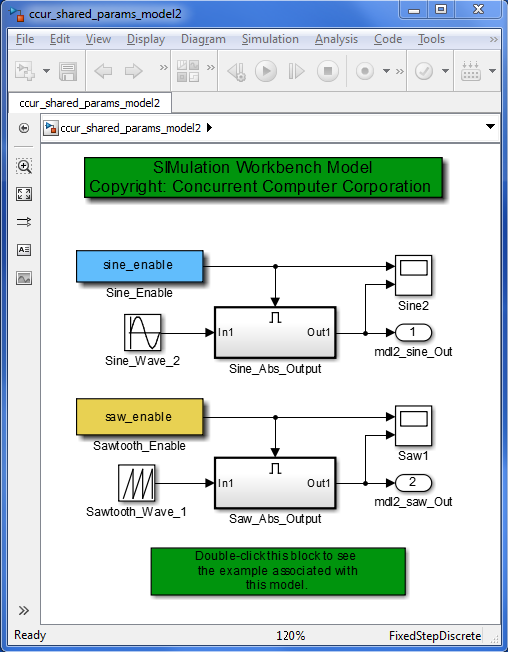
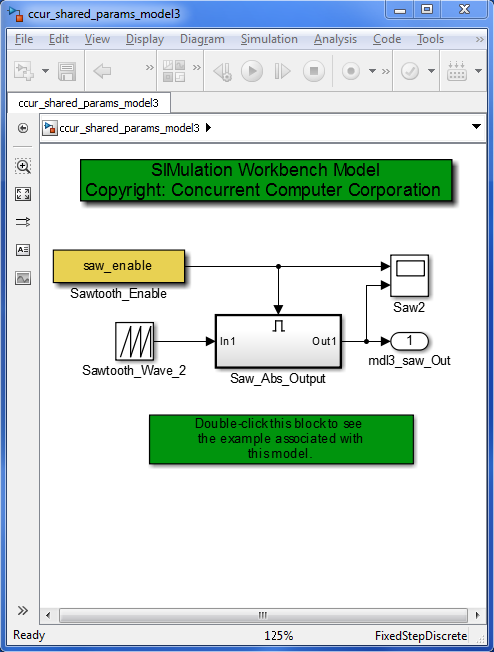
This example demonstrates how block parameters can be shared across multiple Simulink® models. Using this feature, such parameters can be initialized and controlled using a single parameter in SIMulation Workbench.
Ordinarily, block parameters in a Simulink® model belong to it, and get created in the RTDB when the model is exported and simulated in SimWB (see Parameters tab in Real-Time Viewer pane). Parameter values can be changed in real time mid-simulation. In the instance that multiple models in a test have a parameter with exactly the same name, such a parameter is not treated differently. That is, if such a parameter needs to be modified to have the same value across all the models in a test, the only way to effect this is to change the value for each model's own parameter. This feature helps by allocating memory just once for each parameter that needs to be shared by all models in a test. It thus avoids duplication of memory, and also allows for a single point of control for such parameters.
This example uses three models to demonstrate how this feature can be exercised:
ccur_shared_params_model1ccur_shared_params_model2ccur_shared_params_model3These models can be found in the $simwbroot/examples folder, and can be opened by typing their names in
the MATLAB® Command Window.
Each model contains one or more enabled subsystems whose output equals the absolute value of the input when the
respective enable input value is positive.
When the value of an enable input is not positive, the subsystem is effectively disabled, and its output is held at
the last value prior to the subsystem being disabled.
For detailed information on how enabled subsystems work, read Create an Enabled Subsystem.
In this example, the values of the Constant blocks connected to the enabled port of the subsystems are shared among
the three models. The block parameter shared by models
ccur_shared_params_model1 and ccur_shared_params_model2 is sine_enable, and
the block parameter shared by models ccur_shared_params_model2
and ccur_shared_params_model3 is saw_enable. The code that creates and initializes these
block parameters in the base workspace runs as part of the
PostLoadFcn callbacks of the models.
Setting the value of the sine_enable and saw_enable parameters to true in the
MATLAB Command Window:
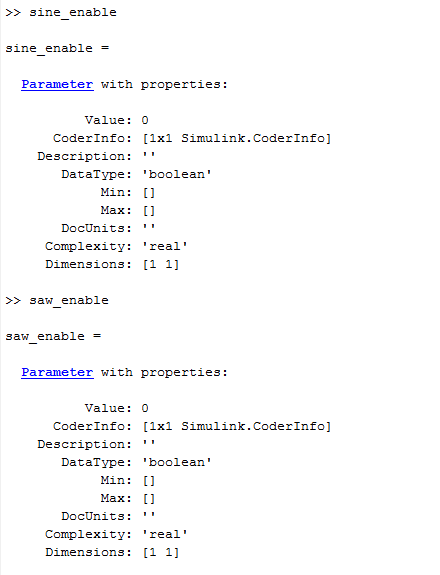
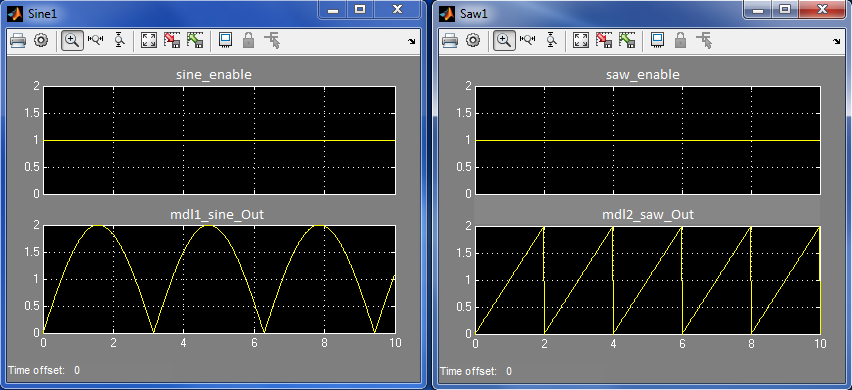
enables each of the subsystems in all three models during simulation. Consequently simulating the models for 10s
yields the following outputs Sine1 and Saw1
in ccur_shared_params_model1 and ccur_shared_params_model2:
Simulink.Parameter class onlyStorageClass property set to ImportedExternPointerValue property set to the desired initial condition of the parameterDataType property set to one of the supported datatypes:
autodoublesingleuint32int32uint16int16uint8int8booleanOnce the variables are created, the feature needs to be enabled via the SimWB->Preferences->Code Generation set of options by checking the box next to the option Allow sharing of variables across models. Parameters matching the regular expression string that meet the requirements listed above are shared among all models that are part of the test.
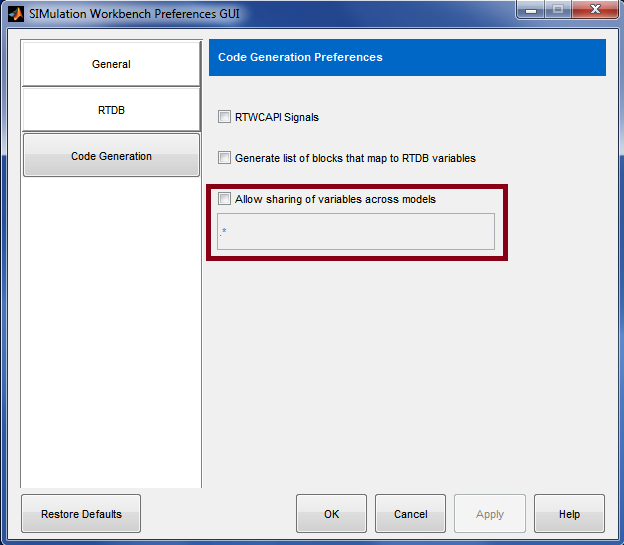
The process of creating and uploading the RTDB on to the server, and proceeding to Make is then completed for each of the models via the MLToolkit. For details on the steps involved, visit the documentation section titled Generate SimWB-Compliant Code for the Simulink Model via MLToolkit.
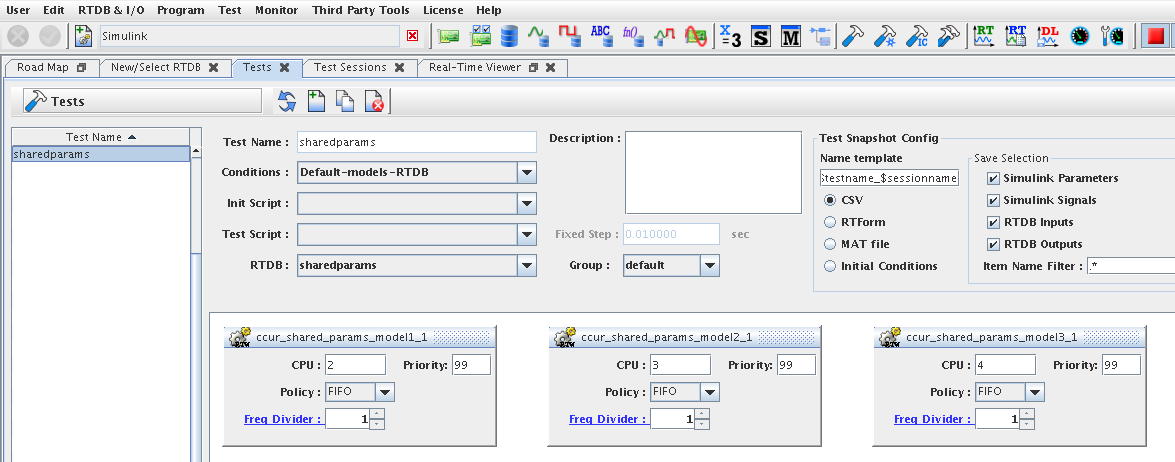
Following creation of the RTDB, and the Make process for each of the three models, a test is created containing each of the three models as shown:
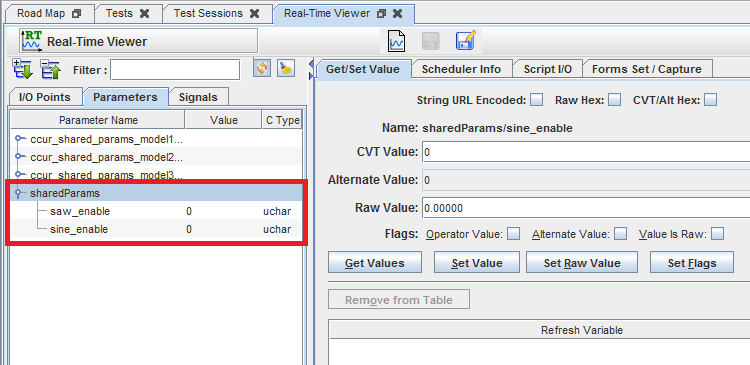
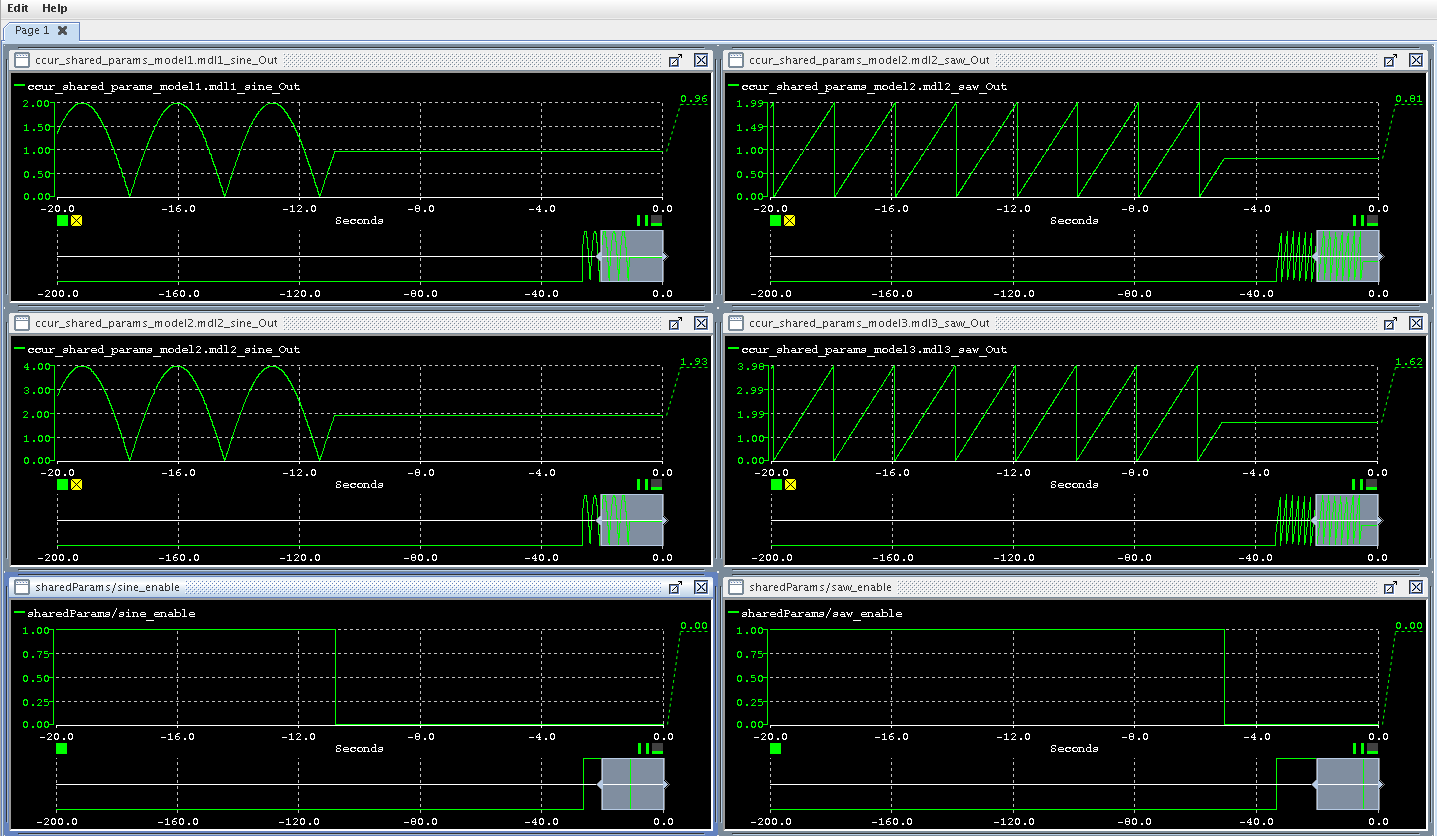
sine_enable and saw_enable to positive
values causes the respective outputs in all of the models to be
enabled at once: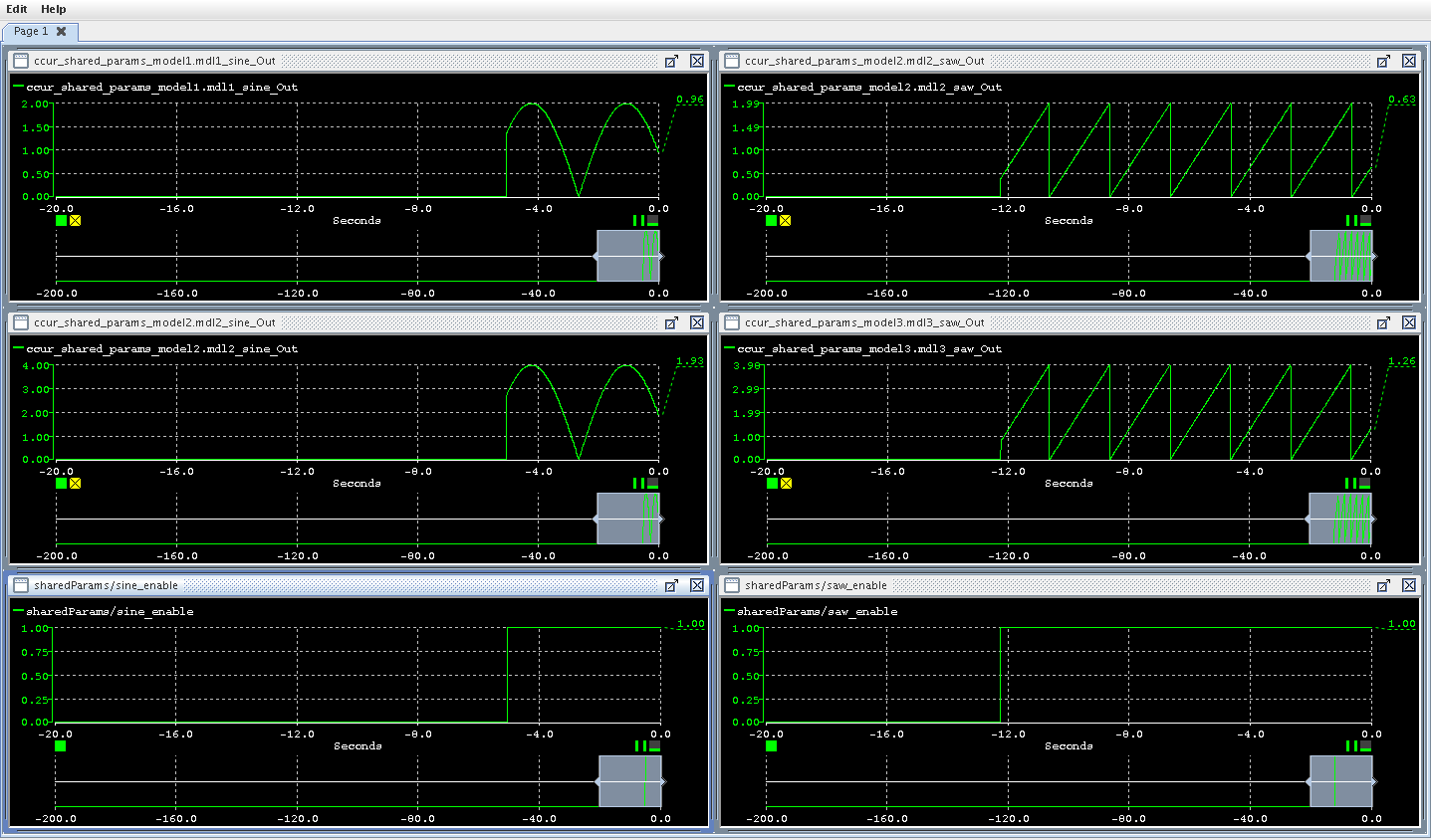
sine_enable and saw_enable to 0 causes the respective
outputs in all of the models to be
held at the then current values:
Simulink®, developed by MathWorks, is a graphical modeling environment.